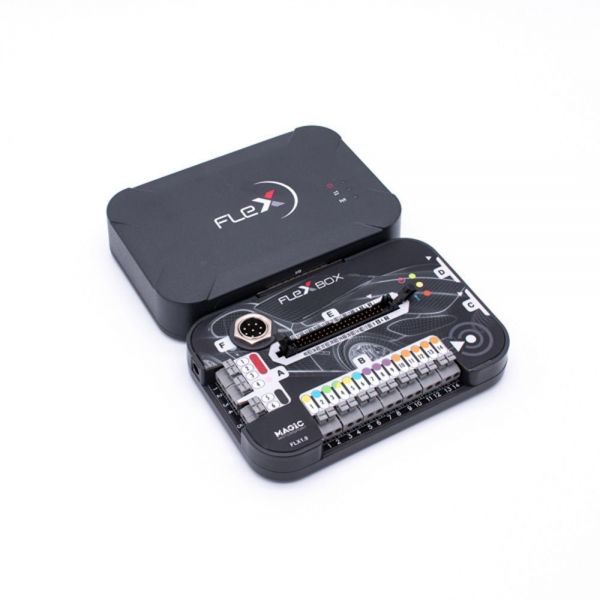
The FLEX firmware loader is a professional programmer for electronic engine control units (ECU) and automatic transmissions (TCU). The equipment is designed for reading and writing software.
Since mid‑2026, the FLEX development team has made it possible to work with locked Bosch MDG1 units using the proprietary Boot Glitch technology, and has also released Korhex to simplify the ECU activation process without the need for soldering!
The online store ECUPro.ru is one of the two official dealers of MagicMotorSport products (Flex, Korhex, etc.)
The main features of FLEX
FLEX supports operation in modes
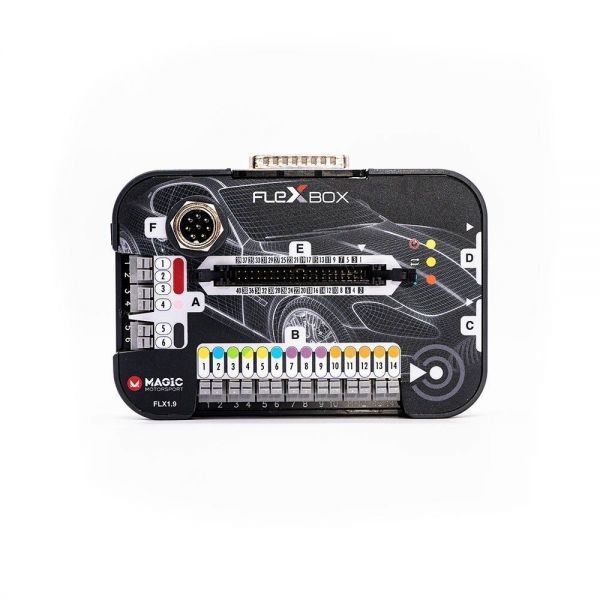
And with FLEXBOX, you have access to such modes as:
FLEX also allows you to work with CheckSum, clone ECUs and TCU, restore ECUs, and much more!
More than 25,000 vehicles supported
Today, FLEX supports more than 25,000 supported vehicles. You can always familiarize yourself with the complete list of vehicles, control units, and operating modes in:
-
Magic Center
-
FLEX App
-
on the web via link - https://www.magicmotorsport.com/en/flex-vehicle-list/
MASTER & SLAVE
The hardware part of FLEX is the same for either of the two versions. You can choose the type of operation that suits you best.
FLEX MASTER
The Master version is intended for specialists who work with firmware files independently and want to use FLEX as a standalone tool for chip tuning.
FLEX SLAVE
The Slave (slave) version is designed to work in conjunction with the Master. This type of work is ideal for specialists who carry out the processes of reading and writing software from the unit, while leaving the work of file calibration to their Master.
Working with Protocol Modules
FLEX is a modular firmware loader. To work with it, you need to open protocol modules that allow you to work with the vehicles you need. FLEX protocols (FLS) are purchased once and do not require repeated purchase. Currently, FLEX can work with:
-
Passenger cars,
-
Trucks,
-
Boats and jet skis.
-
Motorcycles and extreme equipment,
-
other farm and special trucks
You can find the current list of protocols in the Flex Master Modules tab for the MASTER programmer version.
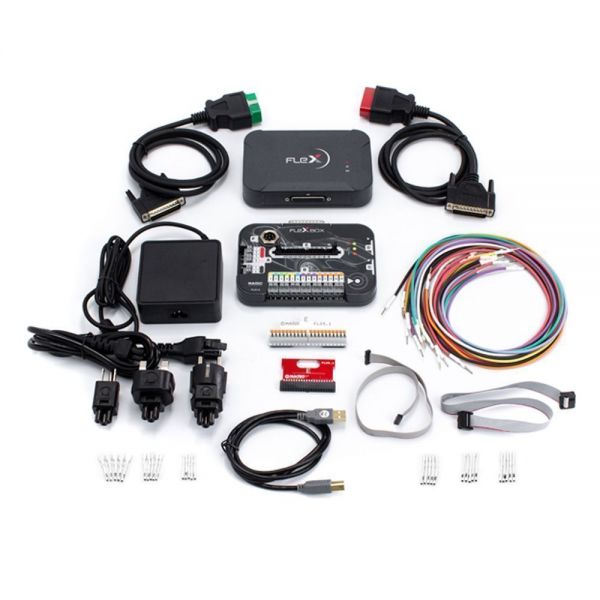
FLEX configuration
|
Code |
Description |
|
FLK35 |
Cabling kit: FLX3.5 color coded wiring harness |
|
FLX1.1 |
Базовый модуль FLEX |
|
FLX1.9 |
FlexBox Module for FLEX |
|
FLX2.10 |
Connection cable OBD: FLEX to CAN/Kline RED |
|
FLX2.11 |
Connection cable OBD: FLEX to ENet GREEN |
|
FLX3.3 |
Connection cable: FlexBox port C to NEC 7F00 XX |
|
FLX3.4 |
Connection cable: FlexBox port D to BDM MPC5xx |
|
FLX3.9 |
Connection cable: USB 2.0 AM-BM BLK 1.8m |
|
FLX4.1 |
FlexBox port E 40 pin adapter for FLK35 |
|
FLX9.1 |
FLEX & FlexBox diagnostic adapter |
|
FLK49 |
Switch Mode Power Supply for FLEX with plugs |
|
FLK42.V02 |
Adapter kit: 10 pin set for FLK35 |
|
FLX8.10 |
FLEX Branded Box |
|
FLX2.14 |
OBD Female Cable |

 We have fast worldwide delivery by EMS-post
 We provide a guarantee for products and technical support
 Our system of discounts and regular promotions save your money